
New APM, Who Dis?
Today we released an update to our Accessport Manager program to version 3.1.10 to incorporate some new and upcoming features and quality of life improvements. With this specific update, it is not possible to use the built-in updater to jump versions so you’ll need to use the following links to download the latest installer for your specific operating system:
Windows 8.1, 10, & 11: Download Here
Mac OS X 10.15 & Later: Download Here
So What Exactly Is New?
Improved Messaging When Transferring Maps
With APM 3.1.10, we’ve improved messaging related to manually copying over maps onto a device that has already been installed to a vehicle. Previously if a new tune file was based on a later CCF generation, like in the case with 2015-2021 WRX where we’ve gone from CCF Gen1 to CCF Gen2, or when transferring a map pack that contains multiple iterations of the same map to cover all ROM variants, you would have been greeted with a message stating that “xx of these maps did not match the vehicle the Accessport is installed to” which can obviously lead to some confusion and unnecessary worry.
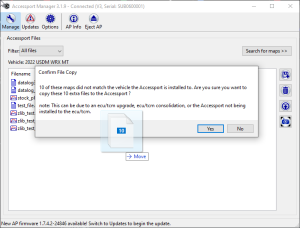
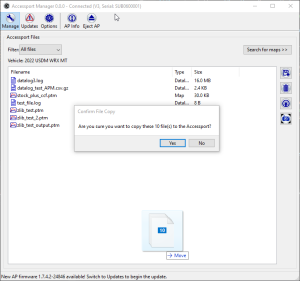
But now with the latest version of Accessport Manager, the messaging simply asks you to confirm that you’re wanting to manually place those maps on the device regardless of the currently installed vehicle identifier.
Datalog Compression For More Room
As vehicles and ECUs get newer and more complex, they tend to have more parameters to monitor at a refreshing rate higher than their predecessors which causes the file size of datalogs to swell exponentially. With all things in life, there is obviously a limit when it comes to file storage so to help alleviate and soften that limit, we’ve implemented a new datalog compression feature.
This will show up as a new file type, csv.gz, that significantly reduces the amount of space needed. This means you can collect many more datalogs than before without hitting a “1014 error” that correlates to running out of space. With his new file type, these datalogs take up very little room on the device’s storage disk and whenever a user downloads them to their computer using Accessport Manager, it is saved as a standard and accessible csv file that can be used by any viewer program.
On-Accessport File Management
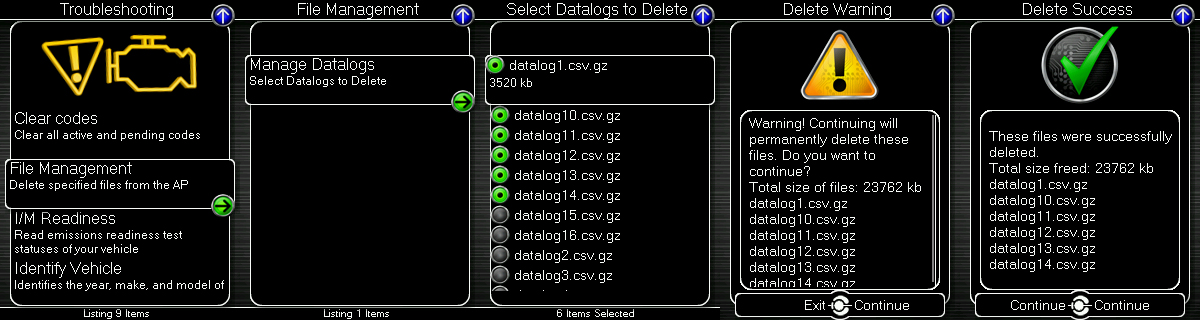
In order to also assist users, we will also be adding the ability to manage and delete datalogs right from the Accessport itself, no computer required! This update will come as a per platform, per part number updates are pushed out in the coming weeks and months. To use this, simply go into the Troubleshooting menu followed by selecting “File Management” then “Manage Datalogs”. From here you can go through and select which datalogs you want to delete and once you’ve selected all the logs you want to get rid of, press the left/exit button on the Accessport along with a success confirmation message.
Get The Goods
To prepare for all the new goodies and take advantage of them as they roll out, download and install the latest installer for your specific operating system:
Windows 8.1, 10, & 11: Download Here
Mac OS X 10.15 & Later: Download Here
The post New Accessport Manager Update, New Functionality! appeared first on COBB Tuning.